






































Based on the Buchla 246, the WC-46 Voltage Source is a quad 16-step sequencer with an included Pulser which drives the sequencer, but can be used separately as well. Current Step, Pulse and Step Length are CV-addressable, and Stage Input switches allow you to change the sequence length, or even 'capture' the active step between two points - great for live improvisation! With individual trigger/gate inputs for each step, this module can also be used as a Preset Voltage selector for up to 4 outputs!
To make it more user-friendly, the WC-46 features an intuitive 'Quick Input', allowing you to set the control value knobs via a separate, independent pitch & gate input, instead of selecting the correct frequency knob by knob - especially great as there are now 48 knobs to set!
Pulser
The Pulser generates a regular pulse signal which can be used on it's own or to control the sequencer.
Inputs
Pulse Length - Essentially a Pulse Width control, this controls the percentage of time during the signal is HIGH versus LOW. This value is CV-controllable via the adjacent CV input jack.
Internal Time - The large knob controls the total length of time per step, and is CV-controllable via the above CV Input jack, which itself can be attenuverted using the knob adjacent to the input jack.
Stop - Stops the sequence - this can also be controlled electronically via a HIGH input signal into the CV Jack. Whilst stopped, pressing this button will also advance the sequencer along a step.
Start - Starts the sequence, this can also be controlled electronically via a HIGH input signal into the CV Jack.
Link - The Pulser and Sequencer sections of this module are essentially entirely separate, and the original hardware module required a jack between the PULSE and ADV jacks to control the sequencer. To save you the hassle, there's a LINK button in between, which replicates this functionality. If your sequencer isn't moving, try this button!
Outputs
Ref - Similar to the REF outputs on the Behemoth, this will output a 0-5v negative ramp signal, the length of which is dependent on the Interval Time. Useful as a primitive envelope.
Pulse - Outputs a Pulse signal, controlled by the Pulse Length and Interval Time controls.
Sequencer
Inputs
Adv. - Send a HIGH input signal to advance the step sequencer a step.
Step Voltage Controls - Control 4 independent rows of 16 steps each, from 0-5v.
Analog - A control voltage into this jack will determine the current step. In the case of WC-46, 0v is step 1, and 5v is Step 16. I'll let you do the mathematics here, but it's best to just shove an interesting waveform into it and check out the patterns it makes!
Stage Select Inputs - Sending a HIGH signal into any of these will automatically jump the sequencer to the associated step.
Sequence Boundary Switches - These interesting controls determine the start and end steps for the sequencer. However, there is a trick to them! The switches essentially 'constrain' the active step which can lead to some unpredictable sequences! See below example in the Tips & Tricks section.
Outputs
Outs A-D - Outputs the control voltage for the relevant Sequence, based on the current step.
Gate Outs 1-16 - When the active step changes, a HIGH signal will be sent to the relevant Gate Out jack.
Quick Input
Unique to the WC-46 is the Quick Input, which allows you to quickly enter pitches into the sequencer automatically via your MIDI controller, for example - or anything as long as it has a gate and pitch output to connect to.
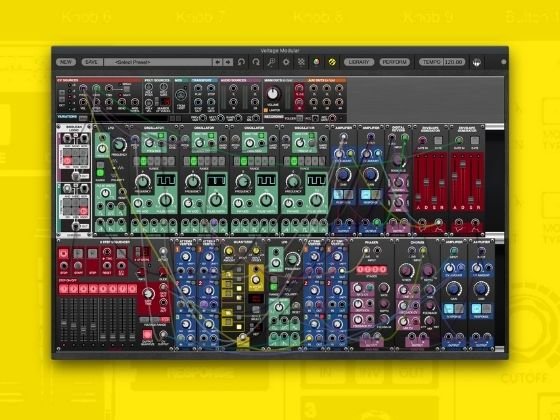
As an example - in Voltage Modular from the main 'CV Sources' section, connect the pitch and gate outputs to the Quick Input 1v/Oct and Gate inputs respectively. Next, 'arm' a row by pressing the Rec. Arm RED button of the corresponding row. The LED will light red, and a flashing LED will appear in column 1 of the sequencer. As we are now armed, pressing a key on your MIDI device (or using VM's built in Keyboard, or send a MIDI signal from your DAW) will set the given row/column knob to the pitch of the key pressed, and the sequence will advance a step. Do this 16 times, and you have a full sequence - and the row will automatically un-arm. Please note this is independent to the normal running of the sequencer, and this can even be done whilst the sequencer is running!
To skip a step, press SKIP, to go back a step, press BACK. To clear the whole row, press CLEAR, and to reset back to step 1 (to start again) press RESET. You can stop recording at any time by pressing the REC ARM button of your row.
Tips and Tricks
As with the other modules in the West Coast Bundle - clicking the DMT Audio logo switch between dark and light mode.
Connect all four A-D outputs to a sequential switch to give you a 64-step sequence!
Connecting each CV Output to different Modulation Inputs, and controlling the steps manually gives you a basic Preset Selector!
The Sequence Boundary Switches work by constraining the active step. For example, if we set the switch between steps 2 and 3 to ON, if the current step is 1 or 2, then the sequence will go STEP 1, STEP 2, STEP 1, STEP 2 etc.. If the current step is 3, 4 or 5 when the switch is set, then the sequence will go STEP 3, STEP 4, STEP 5.. to STEP 16, STEP 3, STEP 4 etc.. Takes a bit of getting used to, but is great for live improvisation!
Play with the Quick Input whilst the sequencer is running, to get ever shifting sequences and melodies!
DMT Audio is not affiliated, associated, authorized, endorsed by, or in any way officially connected with Buchla.
No reviews yet. Be the first to review this product!
WC-46 Sequential Voltage Source
$12.00